
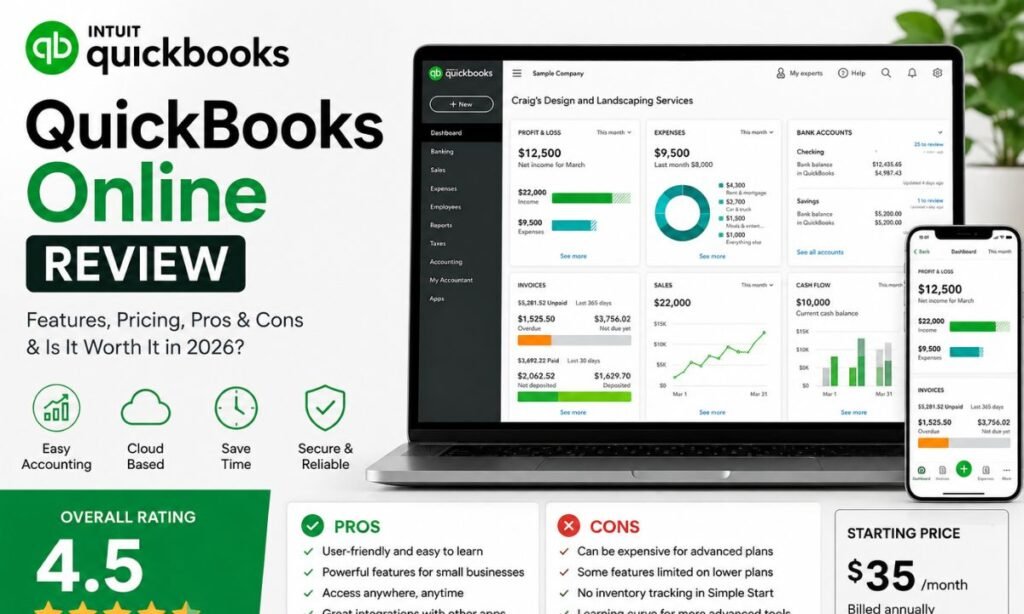

Most reviews of QuickBooks Online lead with its feature list — invoicing, payroll, reporting — and treat price as a footnote at the bottom of the page. That’s backwards for this product specifically, because the sticker price you see on sign-up day is rarely the price you’re paying a year later. This review leads with cost instead, then covers where the software earns that cost and where it doesn’t.
Our quick verdict: QuickBooks Online is a genuinely capable all-in-one accounting platform, and the feature depth is real. But the pricing structure is built around an intro rate that expires, add-ons that aren’t included, and annual increases that have been steep in recent years. Budget for the real long-term number, not the number on the landing page, and it’s still a solid pick for small and mid-sized businesses with real reporting needs.
Quick Verdict Summary
| Category | Rating / Detail |
|---|---|
| Overall Rating | 7/10 |
| Who Can Use? | Small businesses with employees, inventory, or multiple bank accounts |
| Not Recommended For | Solo freelancers on a tight budget, teams needing unlimited free users |
| Work Quality | Strong reporting and reconciliation accuracy, occasional bank feed glitches |
| Ease of Use | Moderate. Simple for basic tasks, steeper curve for advanced reports |
| Final Verdict | A capable platform — just budget for the price after the promo ends, not the price you sign up at |
Disclosure: This review covers QuickBooks, an accounting software company, and its QuickBooks Online product. Use it to understand the features, benefits, and limitations of the product. Evaluate the service and its terms yourself before making a purchase.
The Number That Actually Matters: What You Pay After the Promo
Right now, Intuit is running a Summer Savings promotion offering 90% off across every plan for the first three months. That’s a real discount, and it makes the entry price look almost trivial. It’s also temporary, and the way it’s structured is worth understanding before you sign up rather than after.
The promo window closes August 27. Once it does, every plan reverts to its standard monthly rate — the price shown crossed out next to the discounted number on Intuit’s own pricing page. Anyone who signs up during the promo period should mark the renewal date, because the jump from the intro rate to the standard rate is large in percentage terms, even if it’s presented as a routine renewal.
| Plan | Promo Price (3 months) | Standard Price | Users | Notes |
|---|---|---|---|---|
| Simple Start | $3.80/month | $38/month | 1 | Access for 2 accountants |
| Essentials | $7.50/month | $75/month | 3 | Access for 2 accountants |
| Plus | $11.50/month | $115/month | 5 | Marked “Customer Favorite,” access for 2 accountants |
| Advanced | $27.50/month | $275/month | 25 | Access for 3 accountants |
The prices mentioned above may fluctuate over time.
The gap between the promo rate and the standard rate is the single most important number in this review. Evaluate the software as if you’re already paying the standard price — because within three months, you will be.
The Other Costs That Aren’t in the Headline Price
Total cost of ownership on QuickBooks Online is bigger than the plan price for most businesses, for three reasons:
Payroll is an add-on, not an included feature. On Simple Start, Essentials, and Plus, payroll is priced and billed separately by employee count. Only the Advanced tier now bundles payroll (Workforce Elite) and Bill Pay Elite into the subscription at no extra fee — which narrows, but doesn’t eliminate, the gap for businesses on lower tiers.
User limits push growing teams into a more expensive tier. Simple Start includes one user, Essentials three, Plus five. A team that outgrows five users has to jump to Advanced — a considerably larger jump in price, not an incremental one — where competitors like Xero would let the same team stay on a mid-tier plan with unlimited users.
Price increases have been frequent, not one-time. Independent of the current promo, QuickBooks Online has raised its standard rates multiple times in recent years, particularly on the Plus and Advanced tiers. A rate that’s competitive this year is not a reliable predictor of the rate two years out.
What You’re Actually Paying For: The Feature Set
None of this means the software is overpriced for what it does — the feature depth is a real part of the value case.
Invoicing and Payments
Every paid plan supports unlimited invoices, sent directly from the app, with recurring billing and online payment collection via card or bank transfer. Higher tiers add batch invoicing and automated payment reminders, which matter once you’re sending dozens of invoices monthly rather than a handful.
Expense Tracking
Bank and credit card feeds sync automatically, pulling transactions daily, and the mobile app lets you photograph a receipt and attach it to the matching transaction. Auto-categorization rules save real time at tax season. Some long-term users report occasional feed disconnections requiring manual reconnection — not constant, but frequent enough to factor into your support expectations.
Reporting and Dashboards
This is the platform’s strongest area. The dashboard surfaces profit and loss, cash flow, and outstanding invoices at a glance, and reports can be customized, saved, and scheduled to email automatically. Advanced-tier users get custom KPI dashboards and multi-entity reporting for businesses running more than one company file — a meaningful reason some businesses justify the jump to that tier despite the cost.
Feature Comparison by Tier
| Feature | Simple Start | Essentials | Plus | Advanced |
|---|---|---|---|---|
| Users included | 1 | 3 | 5 | 25 |
| Bill management | Basic | Full | Full | Full |
| Inventory tracking | No | No | Yes | Yes |
| Project profitability | No | No | Yes | Yes |
| Custom user permissions | No | No | No | Yes |
| Bundled payroll add-on | No | No | No | Workforce Elite included |
Integrations
The App Store connects hundreds of third-party tools — payment processors, CRMs, e-commerce platforms, time tracking apps. Most popular small business software already has a QuickBooks integration built in, which matters if you’re trying to avoid manual data entry between systems.
User Experience
The left-hand menu groups everything into familiar categories — banking, sales, expenses, reports — and new users can usually find invoicing and expense entry within a few minutes. Deeper features, like chart of accounts customization, take longer to locate. The mobile app mirrors most desktop functions, though report customization is easier on a larger screen.
Intuit has rolled out AI-assisted features recently, including automated transaction categorization and conversational search. Some remain in beta, so results can be inconsistent depending on your account.
| UX Factor | Score / 10 | Comment |
|---|---|---|
| Design | 7 | Clean layout, but frequent interface updates can throw off muscle memory |
| Navigation | 7 | Core tasks are easy to find, advanced settings less so |
| Learning Curve | 6 | Non-finance users often need a short onboarding period |
| Overall UX | 7 | Solid, functional, not the flashiest software on the market |
Work Quality: Does It Hold Up on Real Transactions?
Bank reconciliation is generally reliable once feeds are connected correctly, and reports pull from live transaction data rather than updating on a delay. That said, formatting quirks and occasional data lag during heavy usage periods have been noted by reviewers on Capterra and G2. Intuit updates the platform frequently — sometimes multiple times a quarter — which keeps it current with tax rules and banking standards, but also means the interface doesn’t stay static for long.
| Quality Indicator | Score / 10 | Notes |
|---|---|---|
| Accuracy | 7 | Reliable reconciliation, minor sync issues reported occasionally |
| Depth | 8 | Covers invoicing through payroll in one platform |
| Originality | 7 | Feature set is broadly similar to top competitors |
| Usefulness | 7 | Genuinely useful for day-to-day bookkeeping, not just tax time |
Pros
✅ Combines invoicing, expenses, payroll, and reporting in a single subscription ✅ Enormous network of accountants and bookkeepers already trained on the platform ✅ Mobile app handles receipt capture and mileage tracking well ✅ Large third-party app marketplace for payments, CRM, and inventory tools ✅ Scales from a single-user plan up to a 25-user Advanced tier
Cons
❌ Promotional pricing masks a standard rate that’s substantially higher once it kicks in ❌ Price increases have been steep and frequent, especially on Plus and Advanced ❌ User limits are tighter than competitors like Xero, which allows unlimited users ❌ Payroll costs extra on most plans instead of being bundled in ❌ Customer support response times vary depending on plan and time of day ❌ Occasional bank feed sync issues reported by long-term users
Tips Before Using QuickBooks Online
Signing up takes about five minutes. Protecting your financial data and avoiding billing surprises later takes a bit more effort.
How to Verify Claims
- Check Intuit’s official pricing page for the current standard rate, not just the promo rate
- Read recent reviews on Capterra or G2 instead of relying on the overall star average
- Run the 30-day free trial with your own transactions before committing to a plan
Safety Checklist
- Turn on two-factor authentication for every user on the account
- Give bookkeepers and accountants limited access instead of full admin rights
- Export a backup of your financial data on a regular schedule
- Review connected apps periodically and remove ones you no longer use
Alternatives to QuickBooks Online
Xero is the closest direct competitor and supports unlimited users on every plan — a real advantage for growing teams that would otherwise pay for QuickBooks Advanced just to add headcount. Pricing runs from roughly $25 to $90 per month.
Wave fits very small or simple businesses that mainly need invoicing and basic bookkeeping. It’s free for core accounting, with add-ons like payroll priced separately.
FreshBooks leans toward freelancers and service-based businesses that bill by the hour, with especially strong invoicing and time tracking. Plans start around $23 per month.
| Software | Best For | Feature Depth | Ease of Switching from QBO | Pricing Transparency |
|---|---|---|---|---|
| Xero | Growing teams needing unlimited users | High | Moderate, data migration tools available | Clear, published pricing |
| Wave | Very small businesses, simple invoicing | Basic | Easy for simple books | Free core plan, add-ons billed separately |
| FreshBooks | Freelancers and service businesses | Moderate | Easy for invoice-heavy workflows | Clear, published pricing |
| QuickBooks Online | Small to mid-sized businesses with complex needs | High | N/A | Promo pricing expires; standard rate shifts yearly |
The 5-Point Checklist for Vetting Any Accounting Software
- Confirm the real monthly cost after any promo ends — add the base plan, payroll, and payment processing fees before comparing platforms.
- Check user and feature limits — make sure the plan supports your actual team size and workflow, not just your current one.
- Read recent reviews, not just the average score — look for patterns in complaints from the last six months.
- Test the free trial with real data — a demo account never reveals the same friction points as your own transactions.
- Ask your accountant what they actually use — compatibility with your bookkeeper often matters more than any single feature.
Final Verdict
QuickBooks Online earns its reputation as one of the most complete accounting platforms for small businesses, handling invoicing, expenses, payroll, and reporting without three separate tools. The learning curve is real, and the payoff shows up once your books are running smoothly — but the honest way to evaluate this product is at its standard rate, not its promotional one.
Should You Use QuickBooks Online?
No, if you’re a solo freelancer who only needs basic invoicing, or if a large jump from promo to standard pricing is a dealbreaker. Wave or FreshBooks may serve you better without the same cost trajectory.
Yes, if you run a small or mid-sized business that needs solid reporting, multiple users, or payroll in one place, and you’ve already budgeted for the standard rate rather than the introductory one. The accountant network alone makes onboarding easier than most competitors.
Frequently Asked Questions
How much does QuickBooks Online cost in 2026?
Standard plans range from $38 per month for Simple Start up to $275 per month for Advanced, following the August 2026 price increase on Essentials, Plus, and Advanced. A limited-time promo cuts these by 90% for the first three months, expiring August 27.
Can I switch from QuickBooks Desktop to QuickBooks Online?
Yes. Intuit provides migration tools to move company files, and QuickBooks Desktop support is being phased out, so many users are switching regardless.
Does QuickBooks Online include payroll?
Not by default. Payroll is a paid add-on on Simple Start, Essentials, and Plus. Advanced now includes Workforce Elite payroll in the subscription price.
What’s the difference between QuickBooks Online and QuickBooks Solopreneur?
Solopreneur is a lighter, cheaper product for side-gig workers who mainly need to separate business and personal expenses. It lacks a customizable chart of accounts and other features found in Simple Start and above.
Is QuickBooks Online good for beginners?
Yes, for basic tasks like invoicing and expense tracking. Advanced reporting and custom setup take longer to learn, so budget time for onboarding.
Sources & References
Pricing figures in this review come directly from Intuit’s official QuickBooks Online plan comparison page and Intuit’s own pricing update announcement, covering the August 2026 rate changes. Additional pricing context and historical rate tracking were cross-checked against NerdWallet’s QuickBooks pricing guide.
User sentiment and reliability notes draw from verified reviews on Capterra’s QuickBooks Online page and G2’s QuickBooks Online comparison listings. Alternative software comparisons reference NerdWallet’s Wave review for competitor pricing and feature accuracy.